Verify your Google Business Profile today, then check reviews daily and reply within 24 to 48 hours. Use your direct review link or a QR code to collect honest, steady reviews. Never offer incentives or ask customers for a specific star rating. That combination is basically the whole job.
TL;DR:
- Tracking review velocity and recency is as important as the star rating, because fresh reviews influence customer choices and update within two weeks.
- Responding to reviews within 24 to 48 hours fosters better customer relations and can encourage reviewers to update their ratings positively.
- Businesses must avoid incentivizing reviews or requesting specific star ratings, as violations can lead to profile suspension or removal of reviews.
- Using a shareable review link or QR code at the point of service and requesting reviews within a day maximizes response rates without risking policy violations.
- Small teams can manage reviews effectively by dedicating 15-20 minutes daily to monitoring, responding, and requesting reviews, scaling with automation and external help if needed.
Table of Contents
- Where Do Google Reviews Show Up, and Why Do They Matter?
- How Do You Read and Reply to Google Reviews?
- What Google Review Policies Should You Never Break?
- How Do You Ask for Google Reviews the Right Way?
- How Do You Monitor Reviews Without a Full-Time Team?
- How Do You Turn Reviews Into Marketing and Product Insight?
- Why Small Teams Overthink Review Management
- Get Help Running Your Review Program the Right Way
- Where to Go for Official Guidance
- Sources
- FAQ
Where Do Google Reviews Show Up, and Why Do They Matter?
Reviews attached to your Google Business Profile surface in three main places: Google Search results, Google Maps, and the Local Pack, the cluster of three business listings that appears above organic results for searches like "plumber near me." Your average rating and review count show up right under your business name in all three spots, before a searcher ever clicks through to your website.
That top-line number does a lot of work. A customer scanning five plumbers in a Local Pack is going to skip straight past the one sitting at 3.6 stars with four reviews and click the one at 4.8 with 212. Recency matters almost as much as volume. Google's own guidance notes that a new review can take up to two weeks before it's fully reflected in your displayed review score, so a sudden batch of five-star reviews won't move your average overnight.
For service businesses specifically, Google sometimes displays aspect ratings tied to the specific job a customer selected when leaving a review, which is one more reason to keep your service list current in your profile settings. Google also occasionally pulls in review counts from third-party sites to round out your credibility signal.
The practical takeaway: don't just track your star average. Track review velocity, too, and see how it compares to the three or four competitors who keep showing up above you in the Local Pack.
How Do You Read and Reply to Google Reviews?
New reviews land in two places: Google Business Profile Manager and directly on your Maps listing. Business Profile Manager is where you'll actually do the work, since it lets you filter by star rating, sort by date, and draft a reply without leaving the dashboard. You have to verify your profile before any reply function unlocks, and once you submit one, Google reviews it for policy compliance before it goes live, a process that can take anywhere from a few minutes to a few weeks.
Triage every incoming review into one of three buckets before you respond:
- Positive (4 to 5 stars): Thank them by name, mention something specific from their review, and invite them back.
- Neutral (3 stars): Acknowledge the gap between good and great, and ask what would have made it a five.
- Negative (1 to 2 stars): Apologize without getting defensive, and move the conversation offline fast.
A short reply template for a negative review might read: "We're sorry your visit didn't meet expectations. We'd like to make this right, please call us at [number] so we can sort this out directly." That kind of public apology paired with a private resolution path is exactly what reputation specialists recommend, and it often prompts the reviewer to edit their rating upward once the issue is fixed.
Reply within 24 to 48 hours whenever you can. Slower than that, and the review starts to feel abandoned rather than addressed.
Pro Tip: Never name a customer's medical condition, financial detail, or other private information in a public reply, even to correct the record. Handle specifics by phone or email, and keep your public response general.
What Google Review Policies Should You Never Break?
Google draws a hard line around how businesses can solicit reviews, and crossing it puts your entire profile at risk, not just the review in question.
Here's what's off-limits, straight from Google's own guidance:
- No offering discounts, gift cards, or freebies in exchange for a review.
- No asking customers to leave specifically a "5-star" review.
- No review-gating, meaning you filter customers by sending happy ones to Google and unhappy ones somewhere private.
- No buying reviews or paying a third party to generate them.
- No posting reviews for your own business, or asking employees or family to do it.
The consequences range from a single review getting stripped down to Google restricting or suspending your entire profile if it flags a pattern of manipulation. That's not a slap on the wrist. It's your entire local visibility going dark while you appeal.
Build a one-line rule for anyone on staff who talks to customers: ask for an honest review, never a good one. Say the words "we'd appreciate your honest feedback on Google" and stop there.
How Do You Ask for Google Reviews the Right Way?
Getting your direct review link is the first move. Open Business Profile Manager, find the "Get more reviews" option, and Google generates a shareable link along with a scannable QR code you can print or embed. That link is the backbone of every request you'll send from here on.
A simple four-step workflow works for almost any local business:
- Generate your link and QR code from Business Profile Manager and save both somewhere your whole team can access.
- Place the QR code on receipts, invoices, follow-up emails, and physical signage at the point of checkout, exactly where a customer's satisfaction is freshest.
- Send the ask within 24 hours of service completion, whether that's a text, an email, or a verbal request paired with the printed code. A simple script: "Thanks for choosing us today. If you have 30 seconds, we'd love an honest review here: [link]."
- Follow up once, 3 to 5 days later, with a short reminder for anyone who hasn't clicked through. Don't send a third nudge. It stops feeling like gratitude and starts feeling like pressure.
Batch your requests in small, steady waves rather than blasting your entire customer database at once. A QR-code request placed at the point of satisfaction tends to produce reliable, consistent response rates, and staying compliant is as simple as phrasing every ask as a request for an honest review, nothing more.
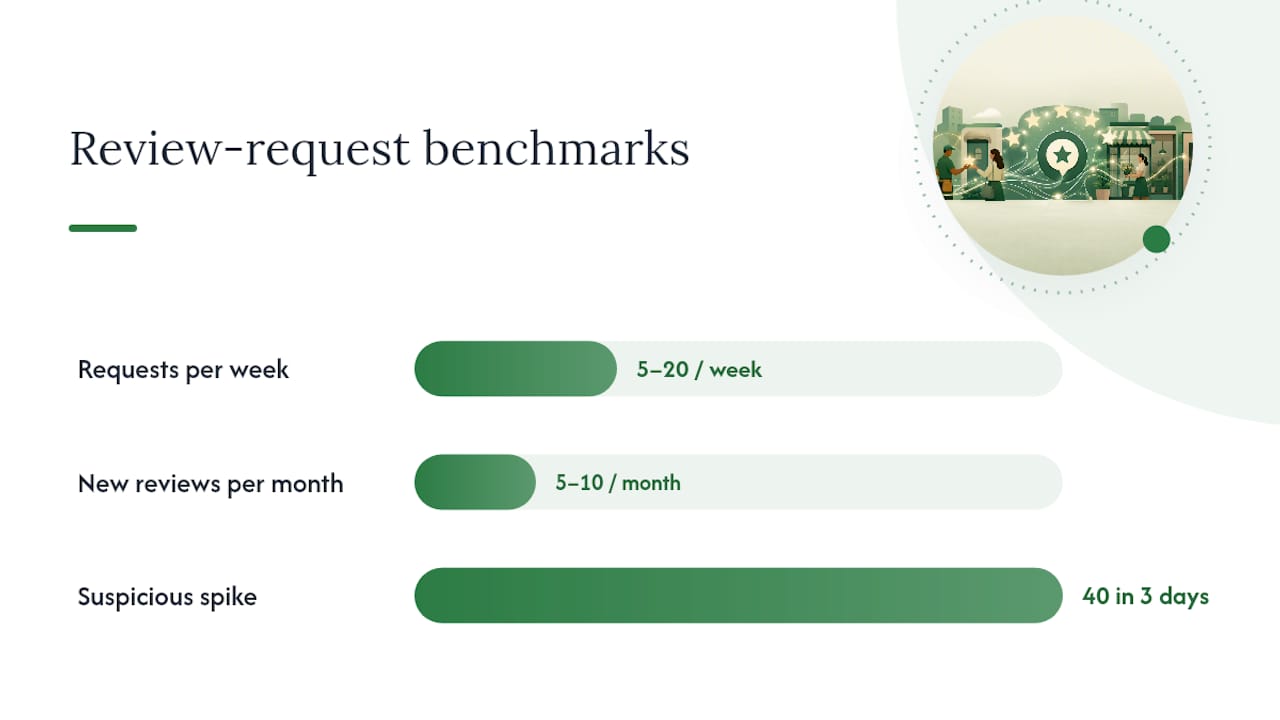
Aim for something like 5 to 20 requests per week depending on your customer volume, targeting a steady velocity of roughly 5 to 10 new reviews a month. That pace reads as organic to Google's systems. A sudden spike of 40 reviews in three days reads as suspicious, even if every one of them is genuine.
Pro Tip: Track review requests sent versus reviews received in a simple spreadsheet. A response rate under 15% usually means your timing or your script needs work, not that customers don't care.
How Do You Monitor Reviews Without a Full-Time Team?
Start with the free tools you already have. Business Profile Manager sends push notifications for new reviews, and checking it once a day covers most single-location businesses without any extra software. Build a five-minute daily habit: open notifications, triage anything new, reply, done.
Automation earns its place once you're juggling multiple locations or a review volume that's genuinely hard to track by hand. Use automation to surface and organize incoming reviews, but keep a human in the loop for the actual reply. That balance preserves authenticity and lowers your risk of a policy misstep that an automated template might miss.
For multi-location operators, the Google Business Profile API opens up real developer-level control: you can list all reviews across locations, pull a specific review's details, post a reply, or delete a reply you've already published. Review data returned through the API includes fields like star rating, comment text, creation time, and any existing reply, which makes centralized dashboards possible for teams managing ten or more locations. The tradeoff is setup complexity. This isn't a weekend project for a solo owner; it's built for a developer or an agency handling review operations at scale.
If a review is fake, abusive, or clearly violates policy, use the flagging option inside Google Maps or Business Profile Manager to report it. Escalate to Google support directly if flagging doesn't resolve it within a reasonable window, and bring in legal counsel only for genuinely defamatory content that's causing measurable business harm.
- Check notifications daily for single-location businesses.
- Escalate to API-based monitoring once you're managing multiple locations.
- Flag policy-violating reviews through Maps or Business Profile Manager.
- Reserve legal counsel for defamation, not just a harsh opinion.
How Do You Turn Reviews Into Marketing and Product Insight?
Good reviews are marketing copy you didn't have to write. Embed a review widget on your homepage or service pages, always with the customer's consent if you're pulling their name into a testimonial section, and share standout reviews on social media where new customers are already scrolling.
Beyond marketing, your reviews are a free customer research file. Read through your last 50 reviews and look for repeated phrases. If six different customers mention how fast your team answered the phone, that's a headline for your homepage. If three mention confusing pricing, that's a signal to rewrite your pricing page before it costs you more leads.
Tie the numbers together to prove the return. Track your review velocity and average rating month over month against your call volume or lead count from the same period. When a rating climbs from 4.2 to 4.6 over two quarters and calls climb alongside it, you've got a business case for keeping the review program funded, not just a nice number on a dashboard.
Why Small Teams Overthink Review Management
Most small business owners treat review management like a project instead of a habit, and that's the mistake. It doesn't need a committee or a quarterly strategy session. It needs one person, usually the owner or office manager, spending 15 to 20 minutes a day checking notifications and firing off replies.
Honey Badger SEO structures this as a simple monthly cadence for clients: monitor daily, respond within 48 hours, request steadily through a QR workflow, then measure velocity and rating trend at the end of each month. A single location usually needs two to three hours a week total. Multi-location operators need someone owning it per site, with a shared spreadsheet tracking velocity across all of them. The first 30 days should just be verification, link setup, and clearing any reply backlog, nothing fancier than that.
— Anas
Get Help Running Your Review Program the Right Way
Running this workflow well every week, on top of everything else a local business owner juggles, is where most good intentions quietly die. There are alternatives to hiring an in-house marketing hire or managing your Google Business Profile alone, such as using a dedicated SEO provider who manages your profile directly without outsourcing.
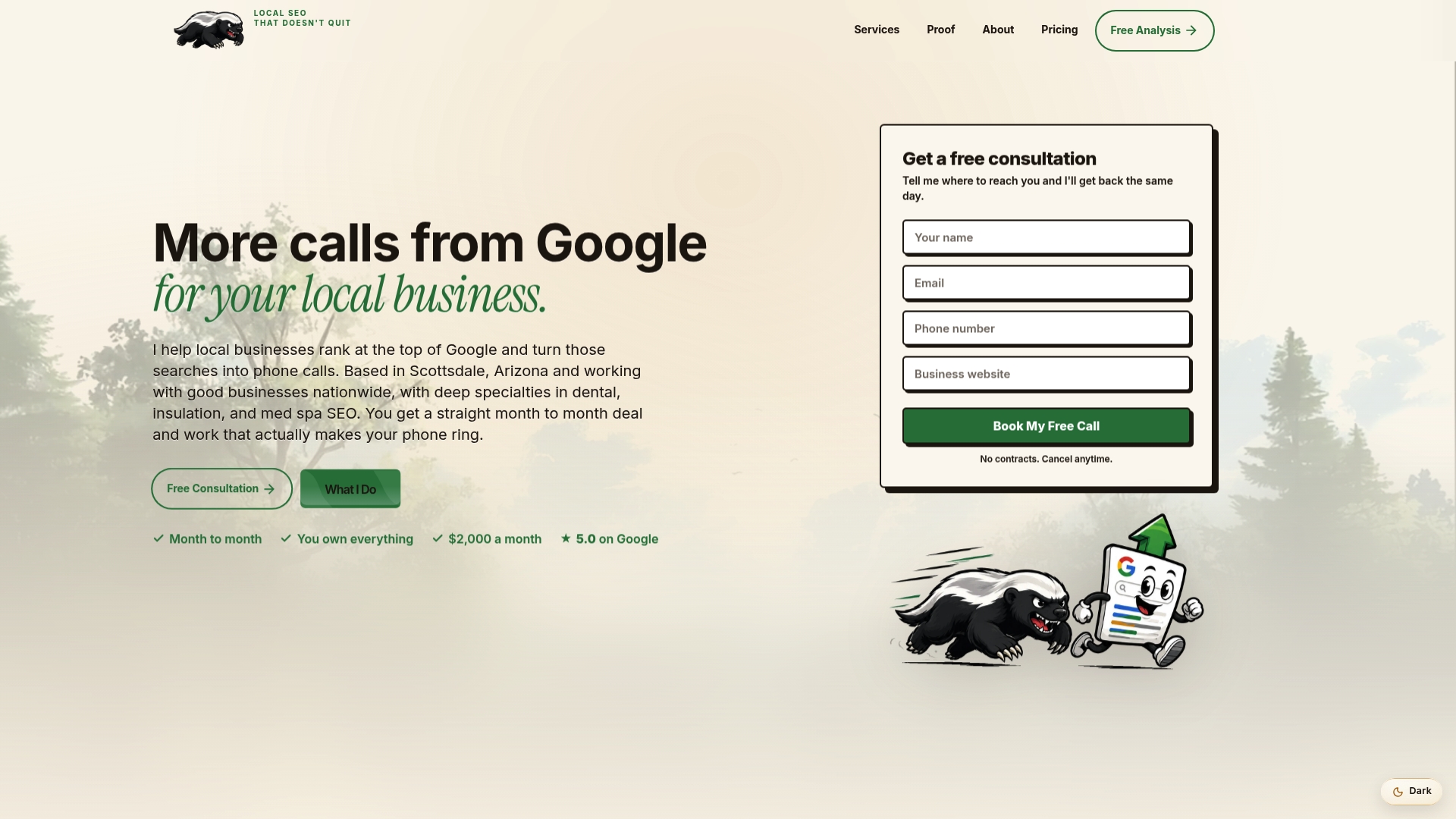
That includes Google Business Profile setup and ongoing optimization, from initial verification through the review monitoring and reply cadence covered above, plus the broader local SEO work that turns a stronger review profile into more phone calls. Pricing runs from $2,000 a month, billed monthly with no long-term contract, so you can see the results before committing further. If you want a second set of eyes on your current profile, request a free audit and find out exactly where your reviews and rankings stand right now.
Where to Go for Official Guidance
Google's own Business Profile Help center covers verification requirements and reply policies in full, and the review policy and tips page spells out exactly what's allowed when you're asking customers for feedback. Developers building custom monitoring tools should start with the Business Profile API documentation for the technical specifics on listing, replying to, and managing reviews at scale.
For a broader operational checklist beyond Google's own pages, this SMB reputation management guide walks through monitoring and response workflows that pair well with everything outlined above.
Sources
- Work with review data | Google Business Profile APIs
- How to Get More Google Reviews for Your Business (Legal, 2026 Guide) | ReplyWithCare
- Here’s how to set up a Google business profile, get Google reviews, and manage them effectively to turn customer feedback into a competitive advantage. — Shopify
FAQ
How Do I Find My Google Business Reviews?
Log into Google Business Profile Manager and click the "Reviews" tab, where every review appears sorted by date with filtering options by star rating. You can also view and reply to reviews directly on your business listing in Google Maps.
Is It Worth Having a Google Business Profile If I Can't Monitor It Constantly?
Yes. Even a profile checked once a day for new reviews outperforms one left unmanaged, since Google's own guidance confirms that verified profiles gain full reply functionality and unverified ones lose both control and credibility. A 15-minute daily habit covers the vast majority of single-location needs.
How Do I Leave a Review of a Business on Google?
Search for the business on Google or open its listing in Maps, scroll to the reviews section, and select "Write a review." You can rate from one to five stars and add a written comment or photos before submitting.
Can I Turn Off Reviews for My Google Business Profile?
No. Google does not allow businesses to disable reviews entirely, since review-gating and suppression violate policy. You can, however, flag individual reviews that are fake, abusive, or off-topic for Google to review and potentially remove.
How Much Does Google Business Profile Management Cost?
Seohoneybadger offers GBP creation and management as part of its local SEO packages, with local SEO services starting from $2,000 a month. Exact scope and pricing depend on your business size and current profile condition, so current details are best confirmed directly on the site.